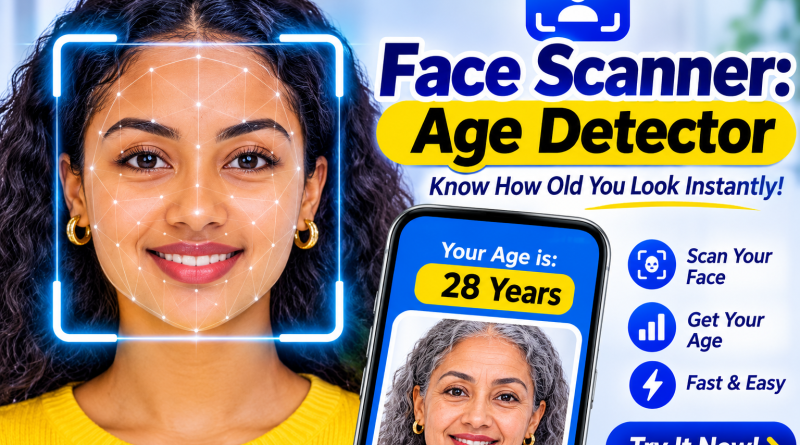
Face Scanner: Age Detector App
Have you ever wondered, “How old do I look?” Now you can explore the answer with My Age Detector: Face Scanner, an entertaining and easy-to-use application designed to estimate your apparent age through facial image analysis. Whether you want to check your own appearance, compare different photographs, or enjoy a fun activity with friends and family, this age detector app offers an interesting way to explore facial features.
Using your smartphone camera or an existing picture from your gallery, you can scan a face and receive an estimated age result. The app provides a convenient experience for anyone interested in face scanning, appearance analysis, and discovering how different photographs may influence estimated age results.
What Is My Age Detector: Face Scanner?
My Age Detector is a face-scanning application designed to estimate how old a person appears based on a facial photograph. Instead of manually guessing someone’s apparent age, users can explore automated facial analysis through a simple scanning experience.
The application may use image-processing technology and facial recognition techniques to examine visible facial characteristics and generate an estimated age result.
You can use the app to explore your appearance, test different photographs, and compare estimated results. It is particularly suitable for people looking for an entertaining face age scanner and a simple way to explore AI-powered facial analysis.
Remember that an estimated appearance age is not the same as your actual age. Results can vary depending on lighting, camera quality, facial expression, image resolution, and other factors.
Key Features of My Age Detector App
The My Age Detector: Face Scanner provides several useful features designed to make facial age estimation simple and enjoyable.
1. Instant Face Age Scanning
Explore your estimated appearance age by scanning a facial photograph. The application is designed to make the scanning process straightforward, allowing users to access results without complicated procedures.
2. Age Detection Using Camera
Use your smartphone camera to capture a facial image and explore the estimated age result. A clear photograph can help the application analyze visible facial characteristics.
3. Photo Gallery Scanning
Want to check an older picture? Depending on the app’s supported features, you can select an existing photograph from your device gallery and explore its estimated appearance age.
4. Simple and User-Friendly Interface
The application is designed for users who prefer a simple experience. Its interface makes it easier to navigate the scanning process, select photographs, and explore available results.
5. AI-Powered Facial Analysis
Facial analysis technology can examine visible characteristics in an image and generate an estimated appearance age. This creates an interesting way to explore how different images may produce different results.
6. Fun Experience With Friends
Make face age scanning an enjoyable activity with friends and family. You can try different photographs, compare estimates, and discover how lighting and facial expressions may influence the results.
7. Fast and Convenient Access
With a smartphone, you can explore the application’s scanning features whenever you want. There is no need for complicated manual calculations to get an estimated result.
How Does the Face Age Scanner Work?
A face age scanner generally uses image-processing technology to identify a face in a photograph and analyze selected visual characteristics.
The process usually involves the following steps:
Step 1: Open the Application
Launch My Age Detector: Face Scanner on your smartphone and explore the available scanning options.
Step 2: Take a Photograph or Select an Image
Depending on the available features, you can use your camera to capture a new picture or choose an existing photograph from your gallery.
Step 3: Scan the Face
Allow the application to process the selected image. Its facial analysis technology may examine visible characteristics to generate an estimated appearance age.
Step 4: View Your Result
After processing, review the estimated age displayed by the application.
Step 5: Try Another Photograph
You can experiment with different pictures to see whether lighting, image quality, and facial expressions affect the estimated result.
Why Should You Try an Age Detector App?
There are many reasons why people enjoy using face age scanner applications. One of the main reasons is curiosity. People naturally wonder how others perceive their appearance and whether they look younger or older than their actual age.
My Age Detector offers an entertaining way to explore this question through digital technology.
Here are some reasons to try it:
- Entertainment: Enjoy an interesting activity with friends and family.
- Curiosity: Discover the estimated age associated with different photographs.
- Photo Experiments: Compare images taken under different lighting conditions.
- Technology Exploration: Experience how AI-powered image analysis works.
- Convenience: Explore facial scanning through your smartphone.
- Easy Navigation: Use a straightforward application without complicated manual calculations.
Tips for Getting Better Face Scanning Results
The quality of the photograph can influence facial analysis results. For a clearer scanning experience, consider the following suggestions:
- Take photographs in a well-lit environment.
- Make sure your face is clearly visible.
- Avoid blurry or extremely low-resolution pictures.
- Keep your face within the camera frame.
- Avoid strong shadows covering important facial features.
- Try using different photographs to compare the results.
These suggestions may help improve image quality, although they cannot guarantee an accurate age estimate.
Is My Age Detector Accurate?
One important thing to understand about age detector applications is that their results are estimates rather than verified facts.
An AI face age scanner may produce different results for the same person depending on the photograph, lighting, facial expression, image quality, and the technology used by the application.
Therefore, My Age Detector should be considered an entertainment and facial analysis tool rather than an official age verification system.
It should not be used to determine someone’s legal age, identity, health condition, or eligibility for age-restricted services.
Privacy and Responsible Usage
Before uploading or scanning photographs, users should review the application’s privacy policy and understand how images and personal information are handled.
Only use photographs that you have permission to use. Avoid uploading other people’s pictures without their consent, and check whether the application stores or shares uploaded images.
Responsible use helps create a safer and more comfortable experience when exploring facial analysis technology.
Who Can Use My Age Detector?
My Age Detector: Face Scanner may appeal to different types of users, including:
- People curious about how old they look.
- Users interested in AI-powered applications.
- Friends looking for fun photo activities.
- People who enjoy experimenting with facial analysis tools.
- Smartphone users interested in image-processing technology.
Its simple concept makes it an interesting application for anyone who wants to explore estimated appearance age through photographs.
Download My Age Detector: Face Scanner Today!
Are you curious about how old you look? My Age Detector: Face Scanner offers an entertaining opportunity to explore facial age estimation using your smartphone.
Discover the application’s available scanning features, capture or select a photograph, and see the estimated appearance age generated from your image.
Whether you are experimenting with your own pictures or enjoying a fun activity with friends, this face age scanner provides an easy way to explore modern facial analysis technology.
Download My Age Detector: Face Scanner today and discover how old you look!
Disclaimer: My Age Detector provides estimated appearance-age results for entertainment purposes. It does not determine actual chronological age and should not be used for identity verification, medical assessment, or legal age verification.